Signal 1
Think in systems
Find the process, constraints, owners, and failure points before choosing tools.
www.jansandiego.com
Engineering mindset | Business systems | GoHighLevel CRM | Workflow automation | Remote operations support
I engineer practical systems that help people and organizations solve messy operational problems with clearer processes, smarter handoffs, useful automation, and AI where it genuinely helps.
Licensed Mechanical Engineer applying systems thinking to business workflows, AI automation, CRM operations, and technical support for remote teams.
Jan's System Method
Diagnose. Map. Build. Stabilize.
Systems
Engineering mindset
Operations
Clearer handoffs
AI
Workflow intelligence
Diagnose
ProcessFind the real bottleneck, owner, data source, and failure point
Map
DataTranslate messy work into triggers, records, stages, and decisions
Build
WorkflowConnect CRM, AI, apps, webhooks, notifications, and handoffs
Stabilize
HandoffTest edge cases, document behavior, and prepare the handoff
Signal 1
Find the process, constraints, owners, and failure points before choosing tools.
Signal 2
Create workflows, interfaces, and handoffs that people can understand after delivery.
Signal 3
Show workflow screens, certificates, documentation, and deploy-ready work that can be reviewed.
Signal 4
Leave room for reporting, QA, recovery paths, and the next version of the system.
Capabilities
Slow follow-ups, messy records, repeated admin work, and disconnected tools are usually symptoms. The real work is finding the operating pattern underneath, then making it easier to run.
Turn scattered inquiries, forms, records, and follow-ups into a customer operating system people can actually maintain.
Clear ownership
Cleaner records
Repeatable follow-up
Move recurring admin, routing, reminders, status updates, and task handoffs into reliable workflow logic.
Less manual checking
Cleaner handoffs
Reliable timing
Apply AI for drafting, intake review, summarization, qualification, and structured outputs where rules alone are too rigid.
Drafted responses
Qualified context
Structured decisions
Bridge CRMs, inboxes, sheets, calendars, forms, APIs, and webhooks into one connected operating flow.
API workflows
Webhook routing
Cleaner data movement
Support the practical work that makes automation usable: QA, cleanup, documentation, testing, and handoff.
QA checks
Clear documentation
Operational handoff
Use AI-assisted development to translate rough ideas into clean websites, landing pages, and deploy-ready interfaces.
Clear messaging
Responsive UI
Vercel-ready delivery
Website Builds
A useful website is not just a nice page. It is a clear explanation of who you are, what problem you solve, what proof you have, and what someone should do next.
Turn raw notes into audience, positioning, page sections, copy hierarchy, and calls to action.
Use AI-assisted coding to create responsive pages with reusable components and clean frontend structure.
Check the build, polish details, connect domains, and deploy through Vercel with a clear handoff path.
Trust Layer
Engineering training taught me to look for constraints, failure points, load paths, and repeatable systems. I bring that same habit into digital operations.
I start with the business process, failure points, owners, and handoffs before choosing GoHighLevel, n8n, Zapier, Make.com, or AI.
Good workflows are traceable. They should show what happened, who owns the next step, and where the process can recover.
The best automation is the one the team can understand, maintain, and trust after the first exciting demo is over.
Decision Fit
I am most useful where the process already exists, but the ownership, timing, data, and handoffs are not yet clear enough for the team to trust.
Map the process before choosing the tool
Keep workflows readable after handoff
Separate deterministic logic from AI judgment
Design for ownership, recovery, and documentation
Good fit when work is moving through inboxes, spreadsheets, forms, and memory instead of a visible operating flow.
Good fit when the business is growing but the process is still too dependent on manual checking and undocumented steps.
Good fit when people need shared context, follow-up visibility, and workflows that can be reviewed without guesswork.
Project
This build shows the method in practice: take scattered intake, follow-ups, stage movement, and onboarding, then give each step a clearer role in the system.
Starting Point
Small teams often rely on memory, inbox checks, and manual status updates. That can make it harder to see which leads need a quote, follow-up, onboarding, or reactivation.
The build gives each part of the customer journey a role: capture the lead, record the context, move the opportunity, trigger the next step, and hand off after the outcome.
Intake
Qualification
Follow-up
Onboarding
Case study map
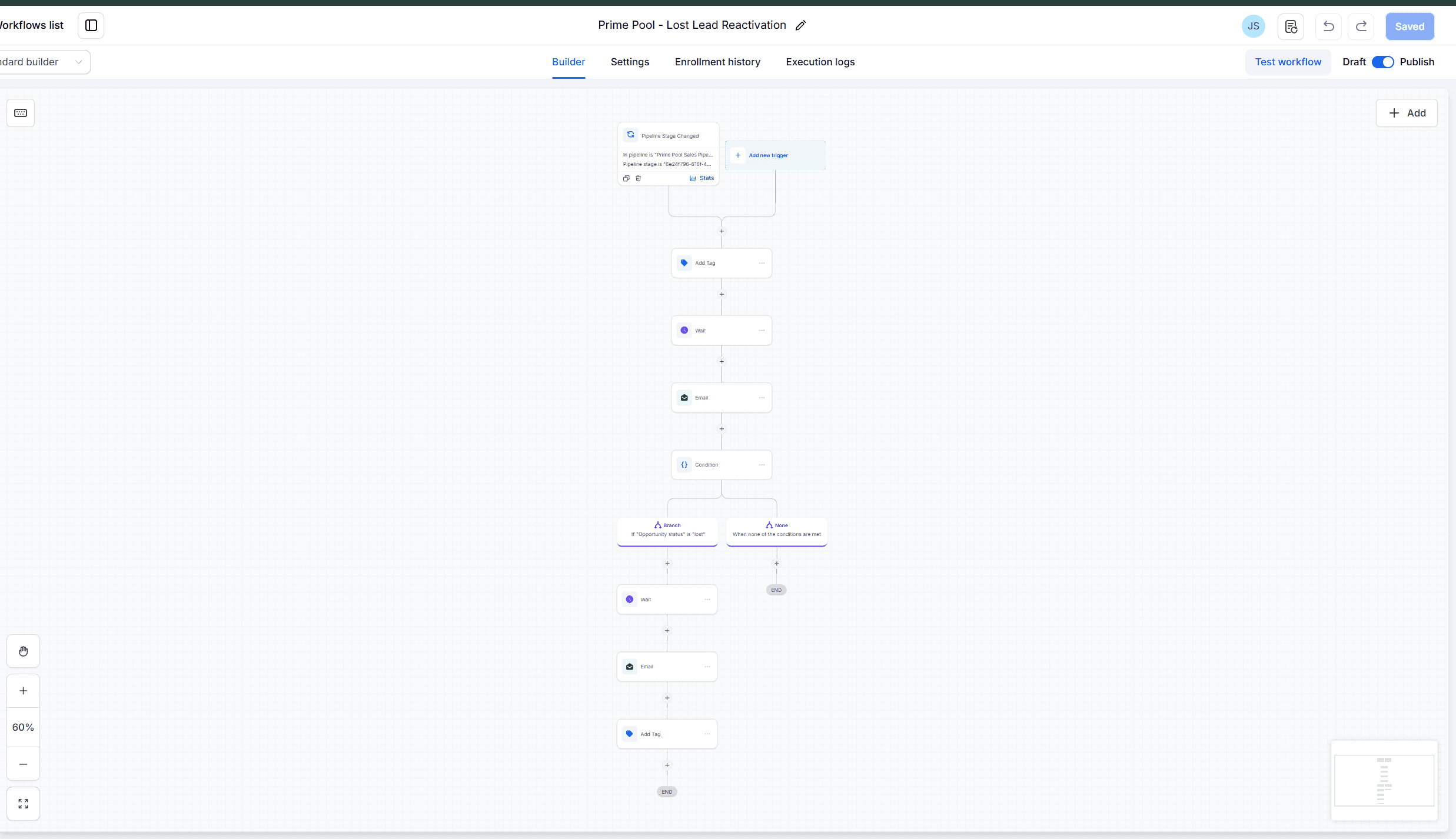
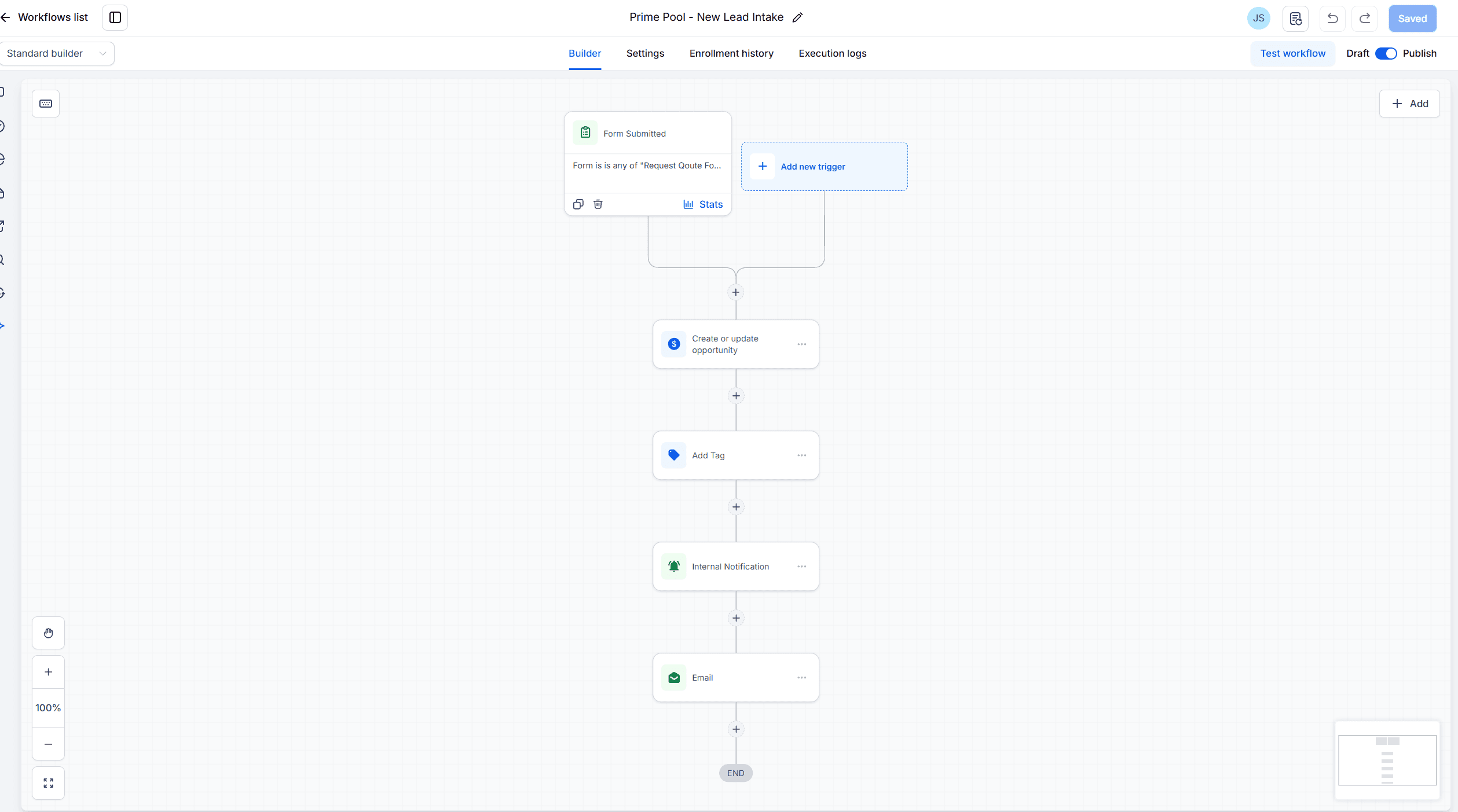
GHL workflow example
Problem
Lead activity, quote status, follow-ups, and onboarding steps were easy to lose when the process depended on memory and manual checking.
Approach
Map the customer journey first, then convert the steps into forms, pipeline stages, tags, wait conditions, and task handoffs.
Architecture
Lead capture feeds the CRM record, decisions segment the contact, stage changes trigger follow-up logic, and won/lost outcomes start the next path.
Technology
GoHighLevel forms, opportunities, tags, workflows, email follow-ups, smart lists, and onboarding tasks.
Business impact
The team gets a clearer operating path for response, follow-up, sales tracking, and post-sale handoff.
Future improvements
Add reporting, source attribution, response-time tracking, and AI-assisted message drafting once the core workflow is stable.
Earlier visibility on new inquiries
Clearer follow-up ownership
Cleaner pipeline movement
Less manual status checking
A more consistent onboarding path
GHL Build Scope
This project shows the architecture behind a customer workflow: intake creates the record, stages describe progress, tags add context, and automation keeps the next action visible.
System stage
Capture clean intake
System stage
Create the sales record
System stage
Move work by stage
System stage
Trigger the next action
Architecture Notes
The build translates a business process into triggers, conditions, ownership, follow-up timing, and handoffs. That is the difference between a tool setup and a system people can run.
Lead capture forms and funnel entry points
Opportunity pipeline setup for quote and sales stages
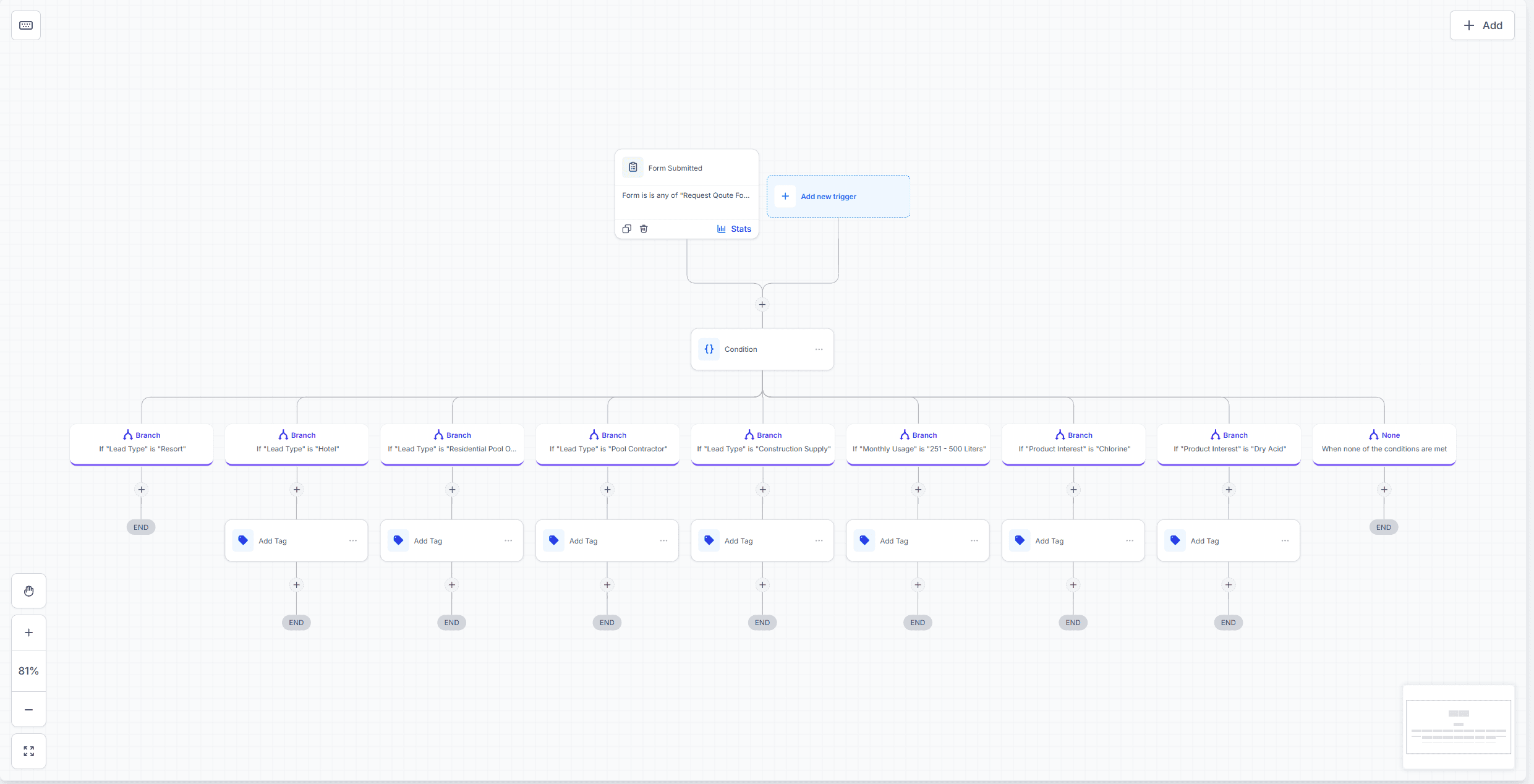
Lead qualification and interest-based tagging
Automated quote follow-ups and lost-lead reactivation
Won-customer onboarding with email and task handoffs
Workflow proof
CRM workflow system
GoHighLevel workflows shown as reviewable system evidence: intake, segmentation, quote follow-up, onboarding, and reactivation.
Good fit for customer journeys that need clearer stages, cleaner records, and follow-up logic the team can review.
GoHighLevel, project 1 of 5, New Lead Intake
01 / 05
1 of 5
Proof Library
The platforms change, but the pattern stays the same: understand the process, design the flow, connect the tools, and leave behind work that can be reviewed, maintained, and improved.
Proof, not promises
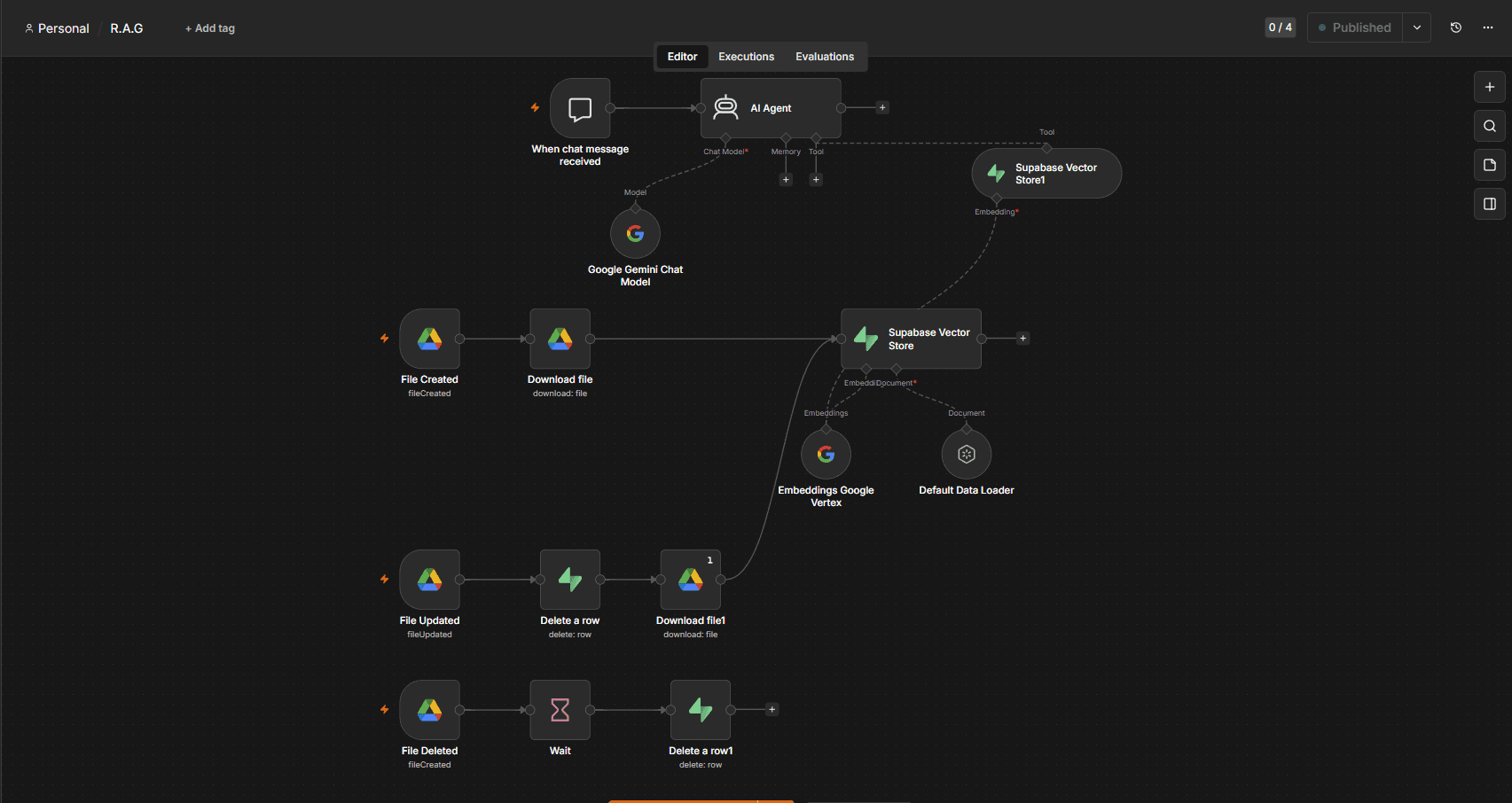
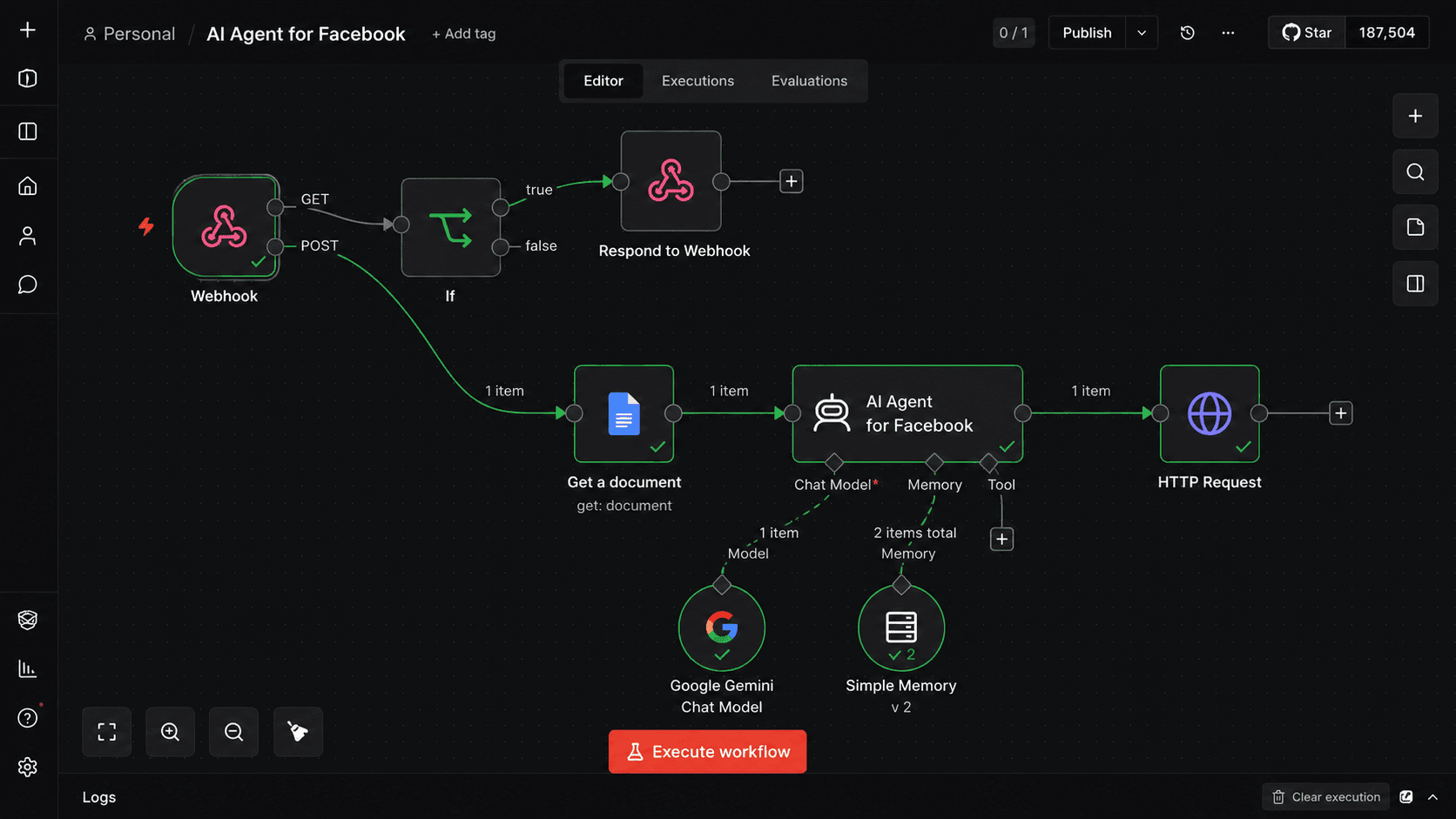
The screenshots are not decoration. They are artifacts of how a system was reasoned through: what starts the work, where data moves, what decisions happen, and how the next action becomes visible.
Portfolio screenshots are selected or recreated to be safe to review while still showing the operating logic behind the work.
3
Platforms
15
Workflow builds
15
Credentials
Reviewable artifact
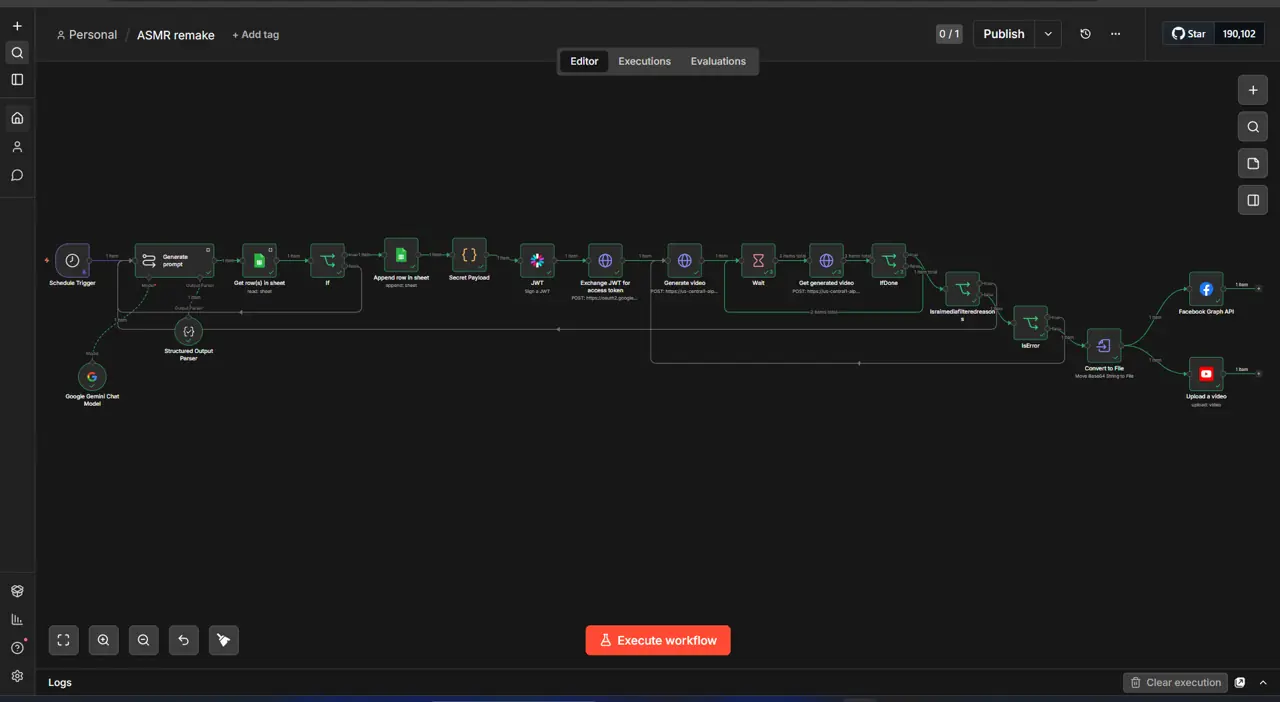
AI Call Appointment Setter
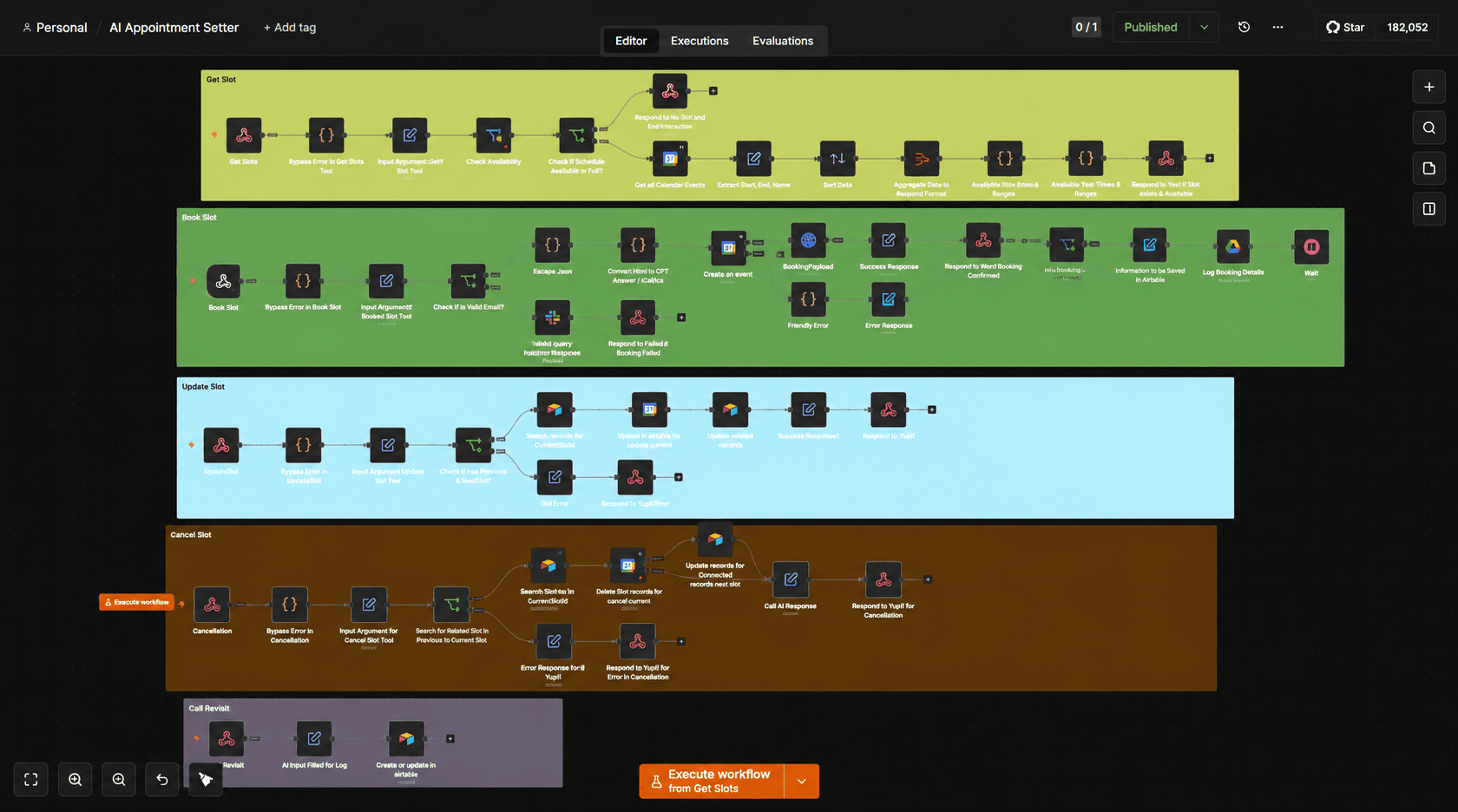
Reduces manual scheduling work by letting an AI voice agent handle appointment requests while n8n manages availability, records, confirmations, and error paths.
Workflow artifacts
Each platform is grouped by the operating problem it helps solve, so the work can be reviewed without opening a gallery or hunting through hidden popups.
Selected platform
AI agents and workflow logic
Deeper workflow architecture for AI agents, scheduled operations, RAG, voice flows, and APIs.
Good fit for deeper logic, AI agents, API workflows, scheduling, and reusable systems with recovery paths.
n8n, project 1 of 9, ASMR Video Generator
01 / 09
1 of 9
Credential Layer
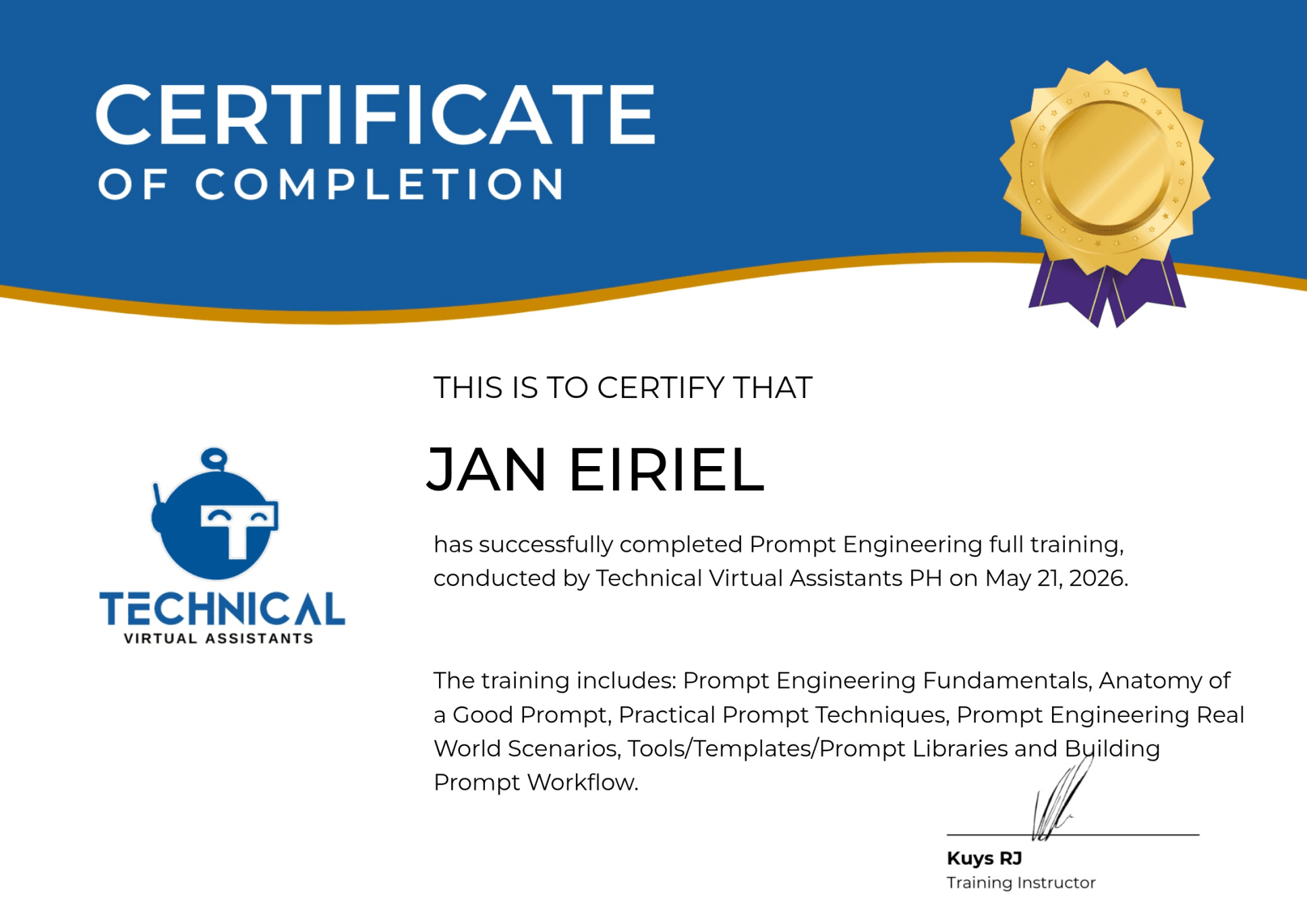
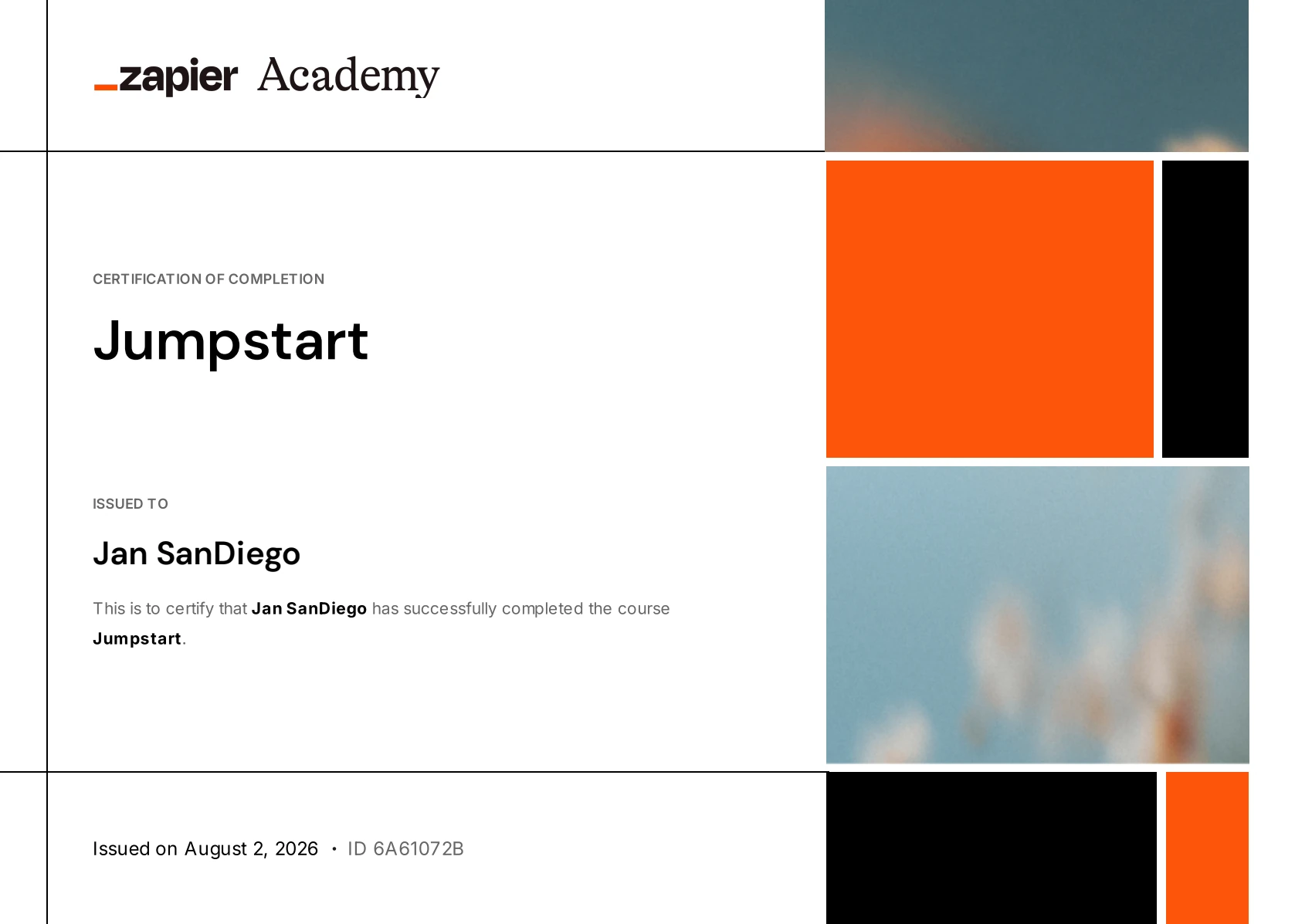
Certificates are not the main story. They simply show that the tools behind the systems were studied deliberately, not used casually.
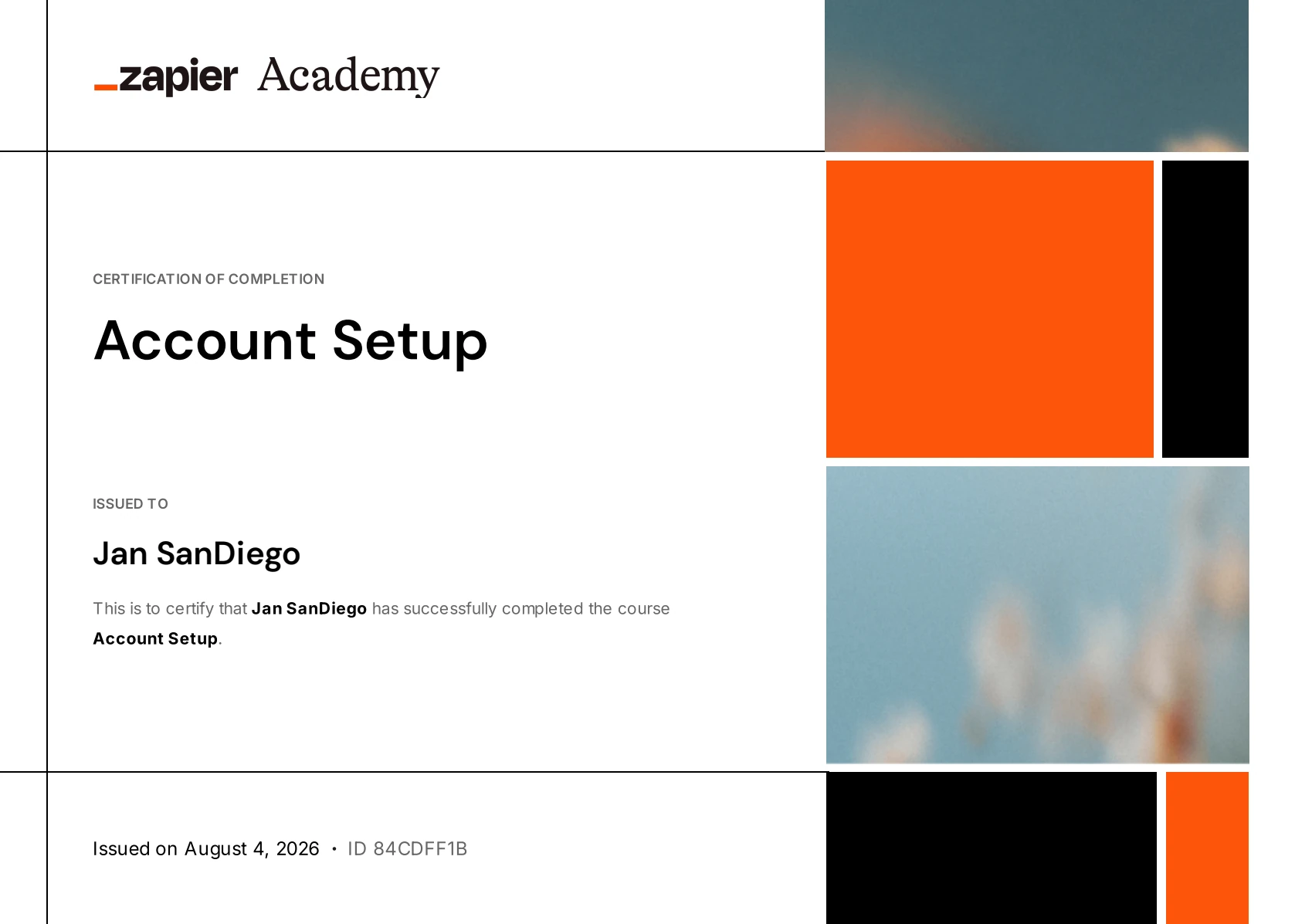
Verified credential
Certificate 1 of 15
Zapier Academy credential covering account configuration and the foundations for a reliable automation workspace.
Why this matters
This credential supports the systems work shown in the portfolio: practical automation, clearer workflows, tool fluency, and better handoff quality.
Process
I try to make every workflow answer the same questions: what starts it, what data matters, what decision happens, what action follows, and how the team recovers when something changes.
4-stage design plan
A simple path from unclear work to a system people can use, review, and improve.
01
Diagnose
Find the real friction
02
Design
Shape the operating path
03
Build
Connect the moving parts
04
Stabilize
Prepare it for handoff
Identify the trigger, owner, data source, follow-up timing, failure points, and business outcome before touching the tools.
Output
Problem map
Turn the process into a readable structure: stages, records, decisions, data handoffs, timing rules, and recovery paths.
Output
Workflow blueprint
Connect the CRM, apps, AI prompts, webhooks, branches, notifications, and interface pieces needed to make the flow work.
Output
Working system
Check edge cases, data formatting, duplicate prevention, notifications, and documentation so the workflow can be reused.
Output
Team-ready system
Tools
I do not lead with software. I choose tools based on the workflow, data, handoff, maintenance, and budget reality of the problem.
Closing thought
I moved from mechanical engineering into automation because the same pattern kept appearing: capable people were doing important work inside fragile manual processes. My role is to find the friction, simplify the operating path, and build systems real teams can trust.
Find friction
Clarify flow
Build trust
Contact
Send a short note about the process, workflow, or operation you want to improve. I will help clarify the next practical step.
Email for inquiries
hello@jansandiego.comBest for job opportunities, project scopes, collaboration details, and formal remote work inquiries.
Quick message
Best for quick introductions, follow-ups, and direct conversation about automation support.
Best fit: business process improvement, AI automation, workflow systems, CRM operations, and technical support for remote teams.